
Who Dynamos helps
Dynamos is designed around the people who make development happen. Choose the workflow that matches your role, then use a shared record so everyone can support the same next step.
For athletes
Know what to work on before the next rep.
The challenge: Feedback is easy to forget when it lives in a quick conversation or a camera roll.
- Capture or receive a session recap.
- Review the coach-approved cue and linked moment.
- Mark the next drill or practice focus complete.
For parents and families
See the development, not just the score.
The challenge: Families pay for coaching but often leave without a shared understanding of what happened.
- Receive the approved recap or shared progress view.
- See the focus area in plain language.
- Support the next practice step without guessing.
For coaches
Spend less time recreating feedback.
The challenge: Coaches juggle clips, notes, rosters, parent questions, and follow-up across too many tools.
- Upload or record the session.
- Review and edit the AI-assisted draft.
- Share the version that reflects your coaching judgment.
For academies
Make good coaching repeatable across staff.
The challenge: Programs lose consistency when every coach records progress differently and families get different levels of follow-through.
- Set a shared session and recap standard.
- Track rosters, progress, and follow-up across coaches.
- Use evidence from the season to improve the program.
Start with your role
The right Dynamos workflow depends on whether you are the person training, supporting, coaching, or running the program.
- Athletes use recaps, focus areas, drills, and history to make practice more intentional.
- Parents use shared reports to understand progress and support the next step without guessing.
- Coaches use capture, analysis, notes, rosters, and sharing to keep feedback moving.
- Academy leaders use consistent records and team views to improve coaching quality across staff.
Capture and analyze a session
A useful analysis starts with a useful source clip and ends with a coach-reviewed takeaway.
- Use a clear angle and keep the athlete visible for the relevant movement.
- Upload a supported video or record from the mobile app.
- Review the phase-by-phase analysis, cues, and linked moments.
- Edit the language, add context, and approve only what you are ready to share.
Turn feedback into progress
Dynamos connects a session observation to a practical next action instead of leaving it as a one-time comment.
- Add a coaching note or drill to a session recap.
- Keep the focus area visible in the athlete history.
- Mark work complete as the athlete practices.
- Return to prior sessions to compare patterns, not just isolated scores.
Run a clearer tryout and development process
A better evaluation records context, coachability, multiple positions, game-like reps, and follow-up, not only a single measurable.
- Create a session record for each athlete instead of relying on a single clipboard.
- Capture observations across positions, pressure, decision-making, and response to coaching.
- Keep an honest record of open roster needs and next steps.
- Use the evidence to communicate fit with families and staff.
Use the mobile apps well
Mobile is for capture, review, sharing, and quick action when the work is happening. The web app is best for deeper management.
- Use the mobile app to sign in, record or upload, review analysis, and manage social drafts.
- Use the web app for rosters, deeper history, team views, and account administration.
- If a provider login opens an MFA screen, finish the provider flow before returning to Dynamos.
- If a media preview fails, keep the original source and use the retry or replacement path rather than creating duplicate posts.
Privacy, safety, and permissions
Youth sports workflows need clear boundaries around media, access, and the people allowed to see a recap.
- Upload only media you have permission to use and share.
- Keep coach notes and private development context separate from public social content.
- Use explicit sharing controls and revoke connected account access when it is no longer needed.
- Dynamos is a coaching aid, not a medical device or a replacement for qualified medical advice.
Product screenshots
These examples show how Dynamos connects mobile capture and publishing with deeper web analysis and reporting.
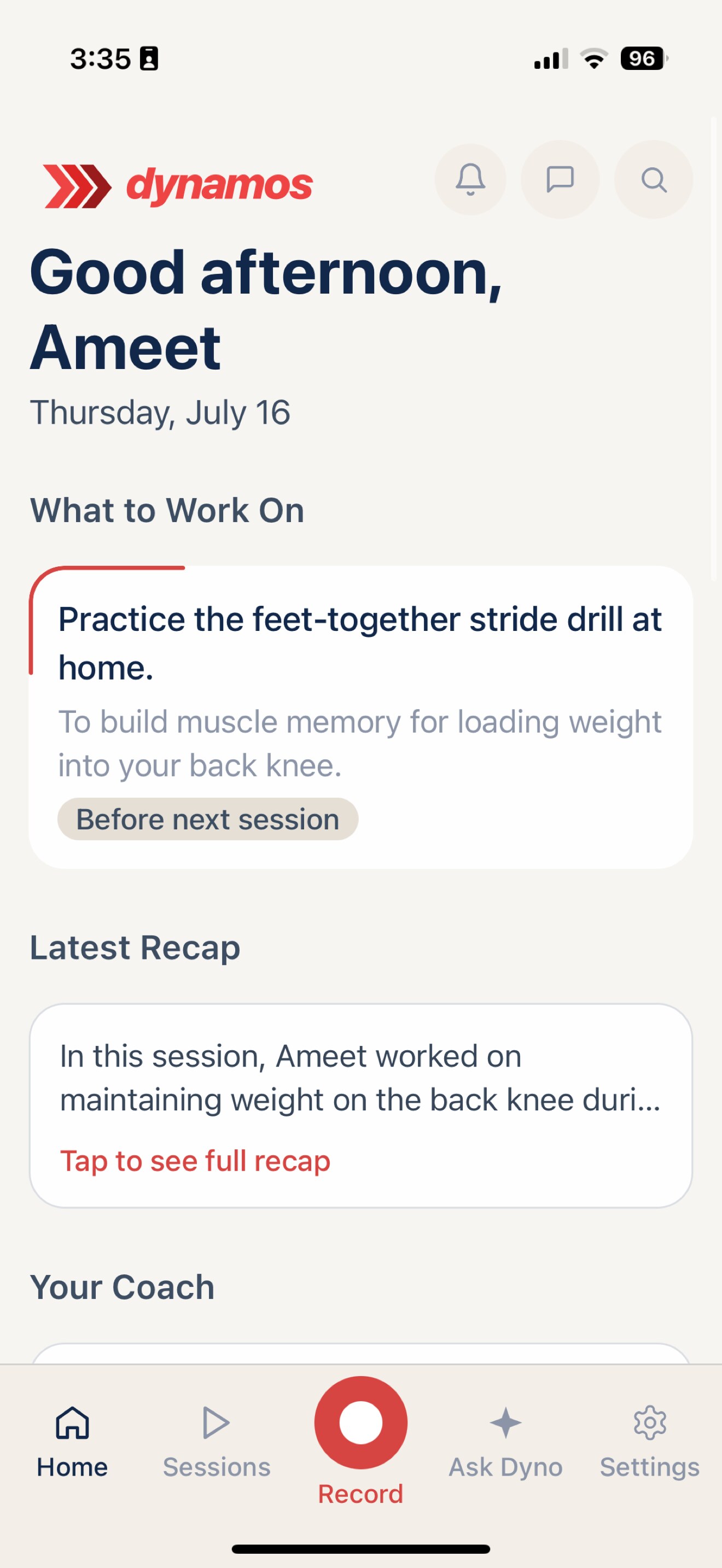
Mobile
Start with the next focus
The mobile home screen puts the current practice focus and latest coaching recap where the athlete can act on them.
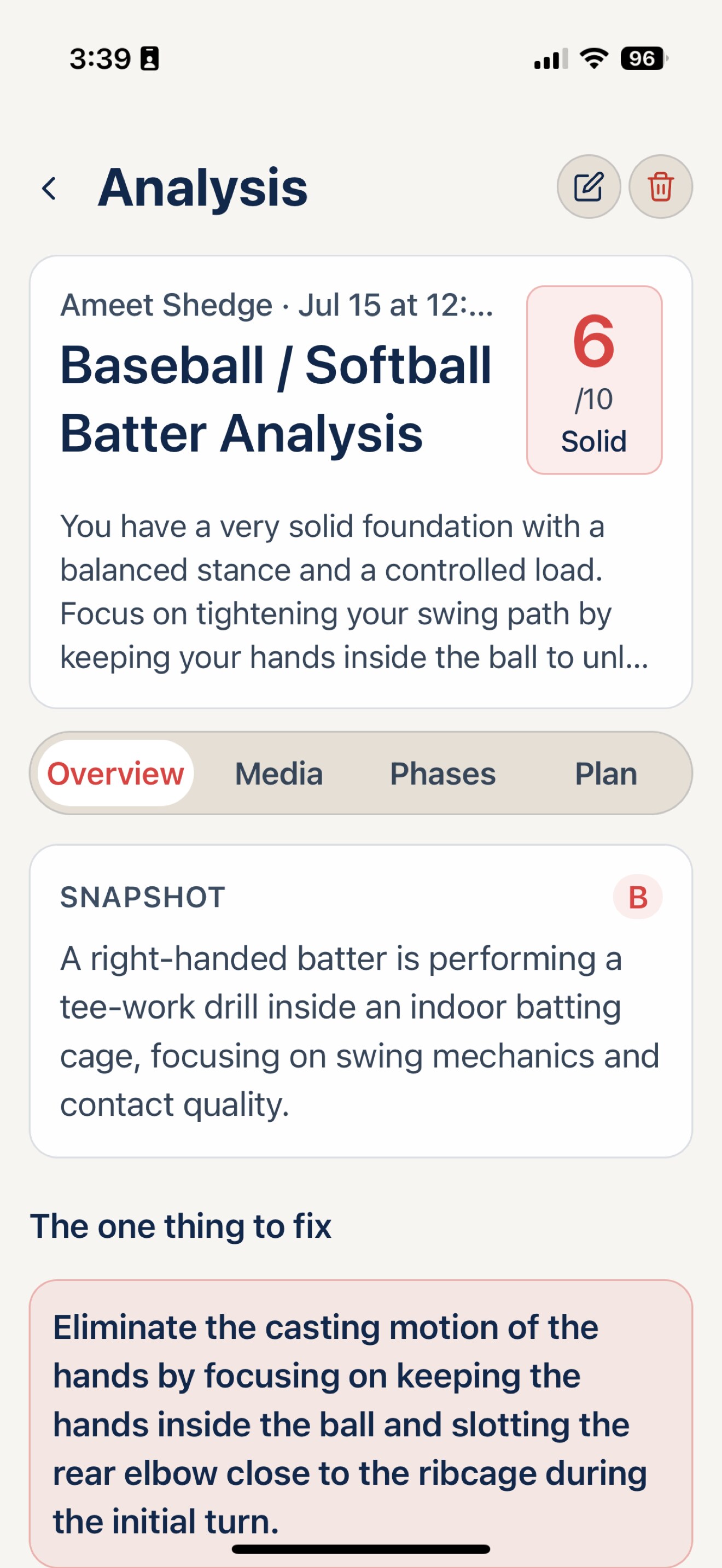
Mobile
Review mechanics in context
A mobile analysis combines the score with a plain-language snapshot and the one thing to fix next.
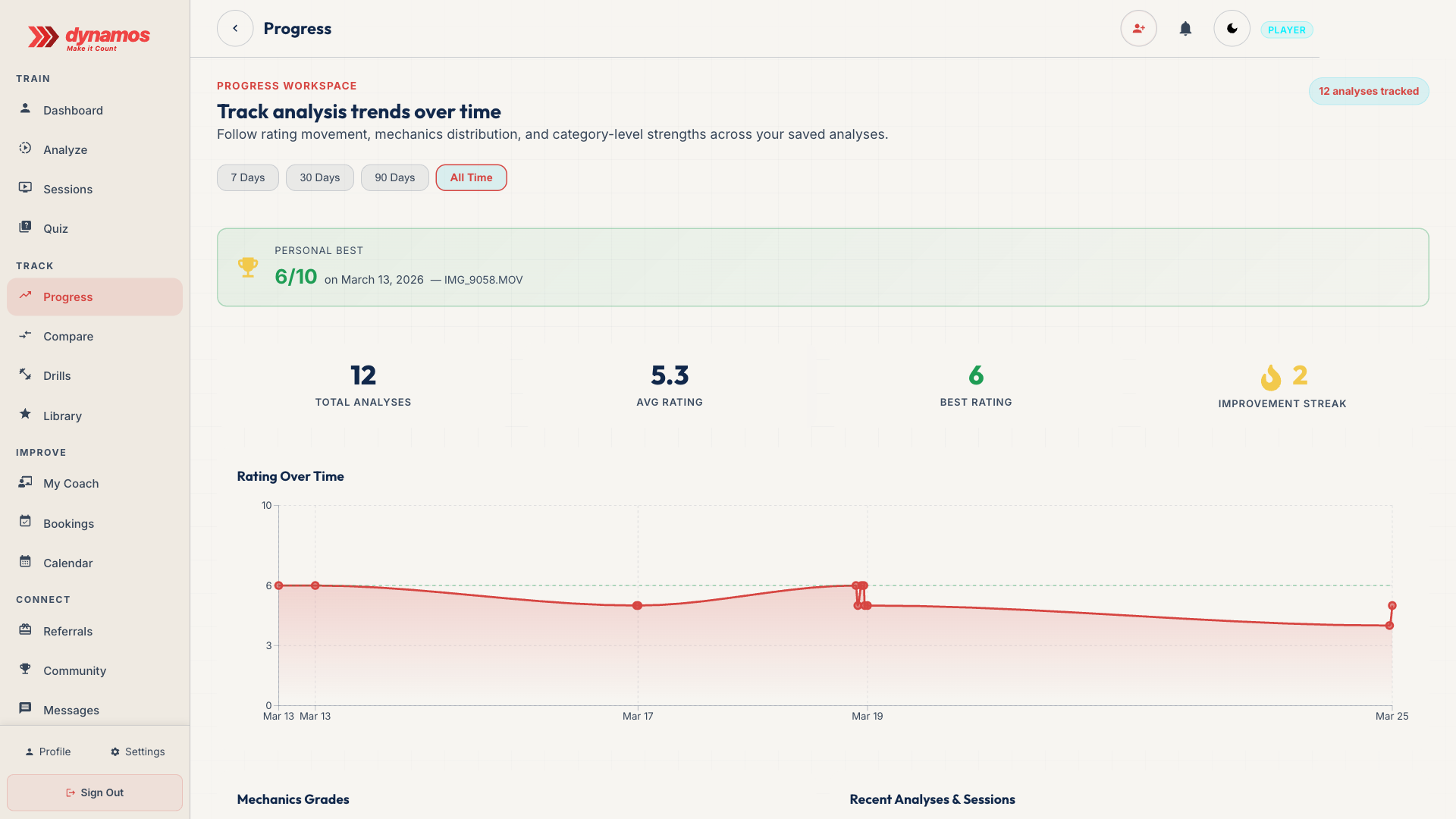
Web
Make progress visible
The web progress workspace turns saved analyses into trends, personal bests, and a record athletes can revisit.
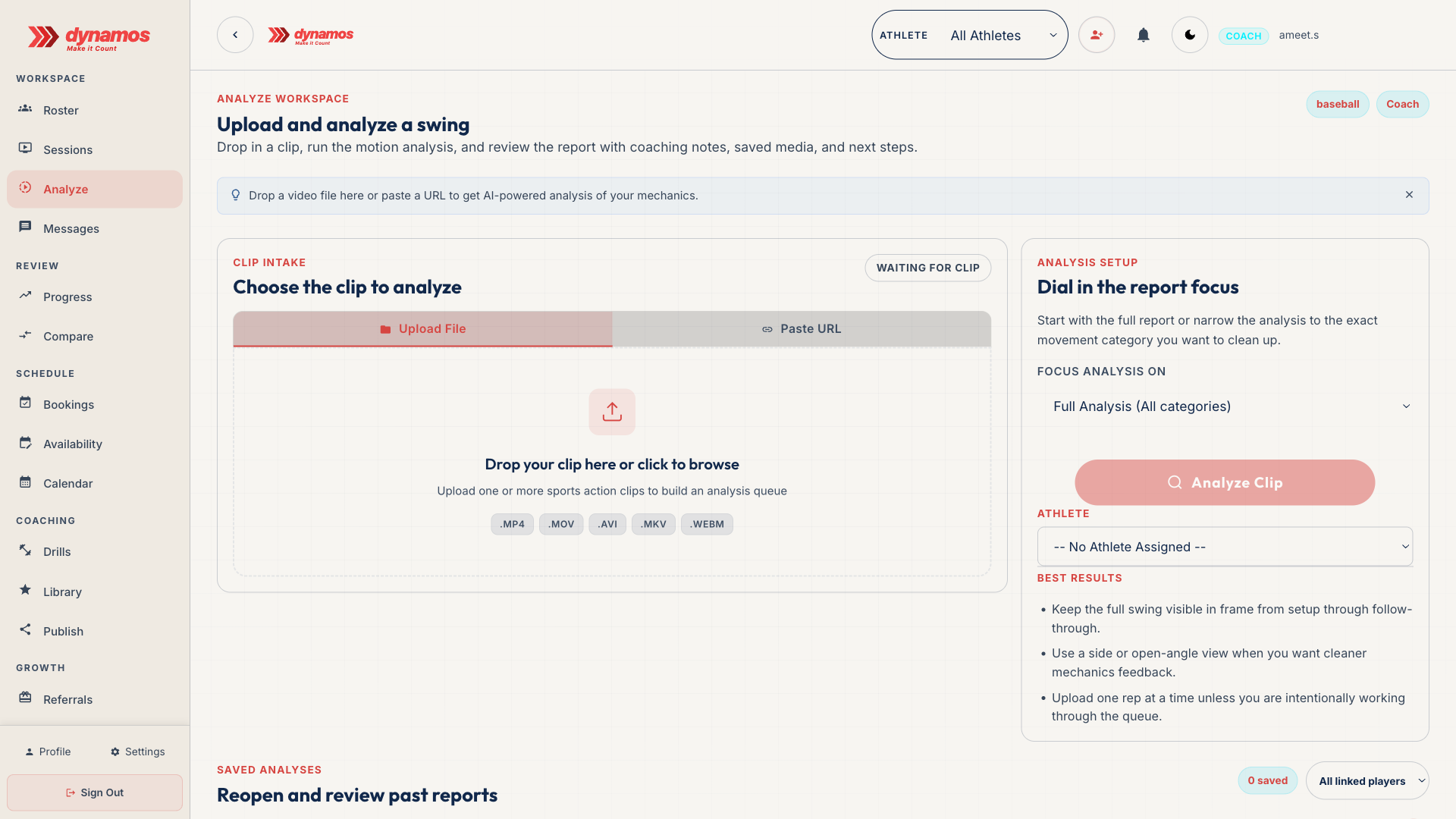
Web
Give coaches a clear starting point
The coach workspace makes clip intake, analysis focus, and best-result guidance visible before processing begins.
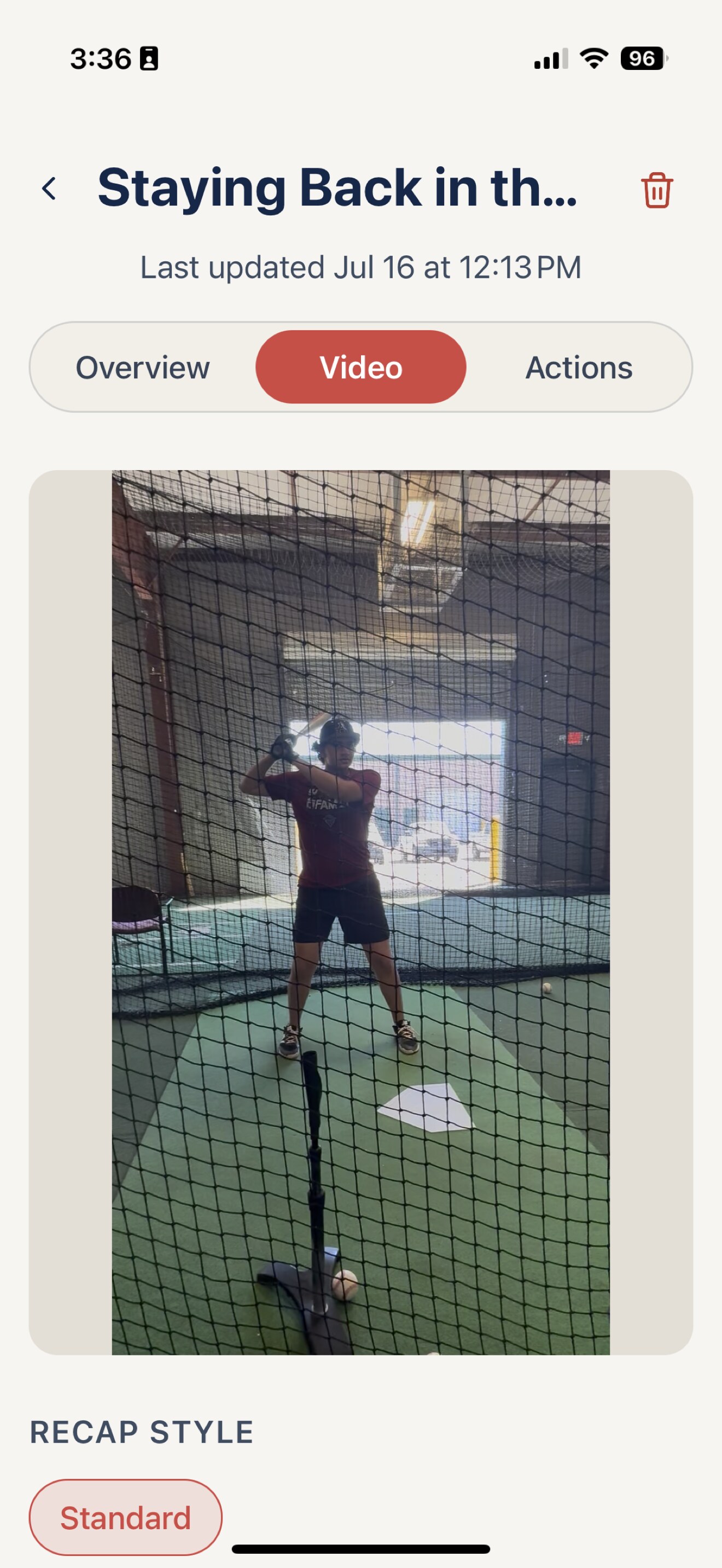
Mobile
Review the moment that matters
Open the session video from mobile, review the motion, and connect what happened to the recap and next action.
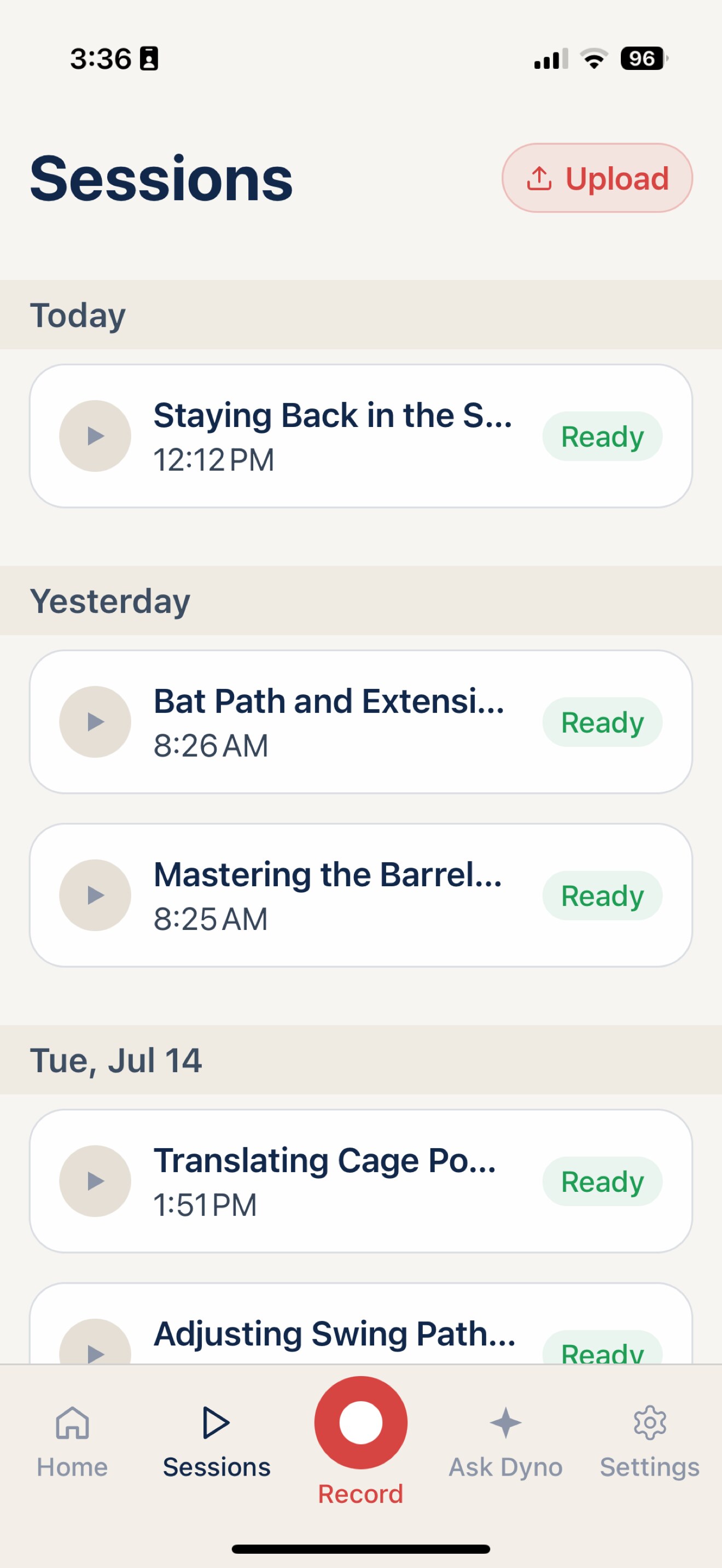
Mobile
Keep sessions organized
The mobile Sessions workspace keeps recent recordings, readiness, and the next review action in one place.
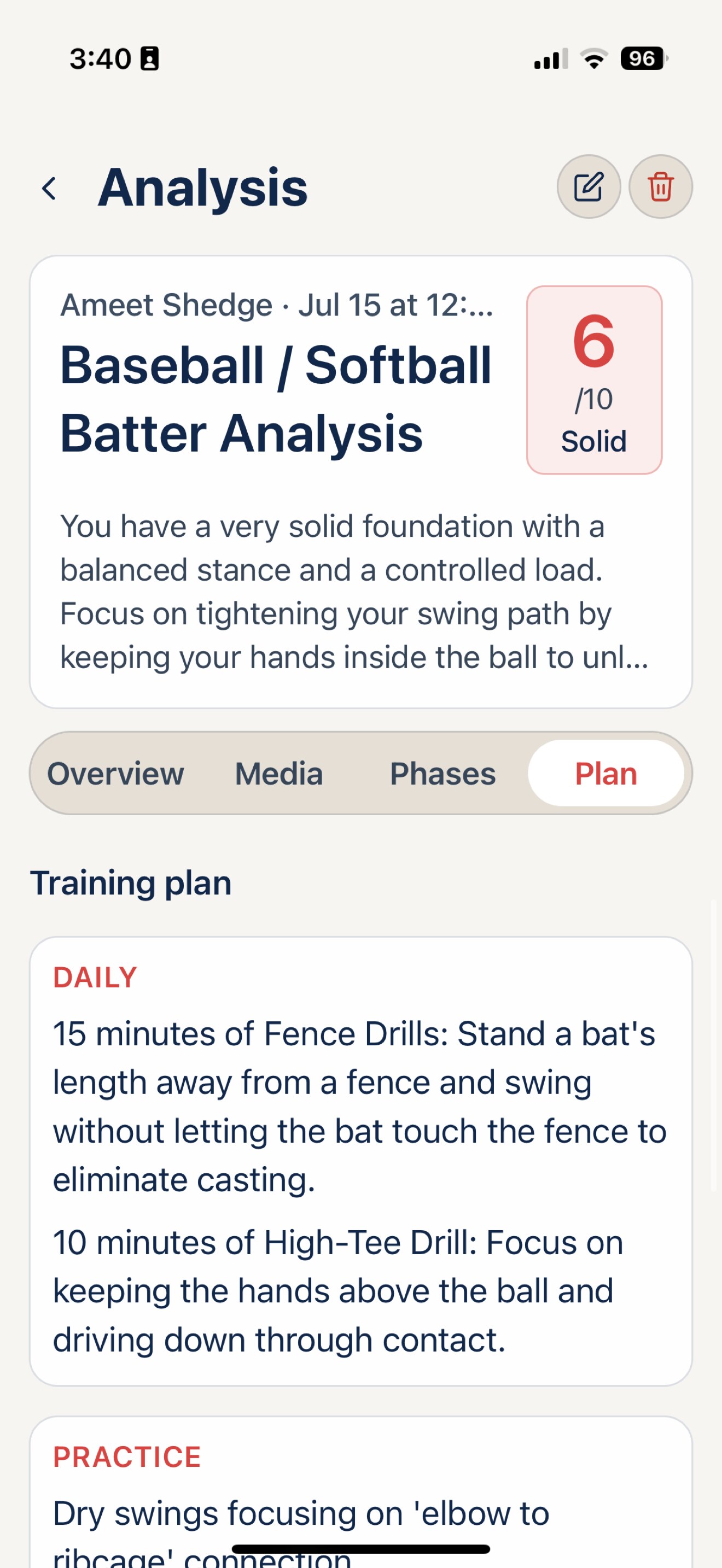
Mobile
Turn insight into practice
Analysis can lead to a concrete training plan with daily and practice recommendations the athlete can follow.
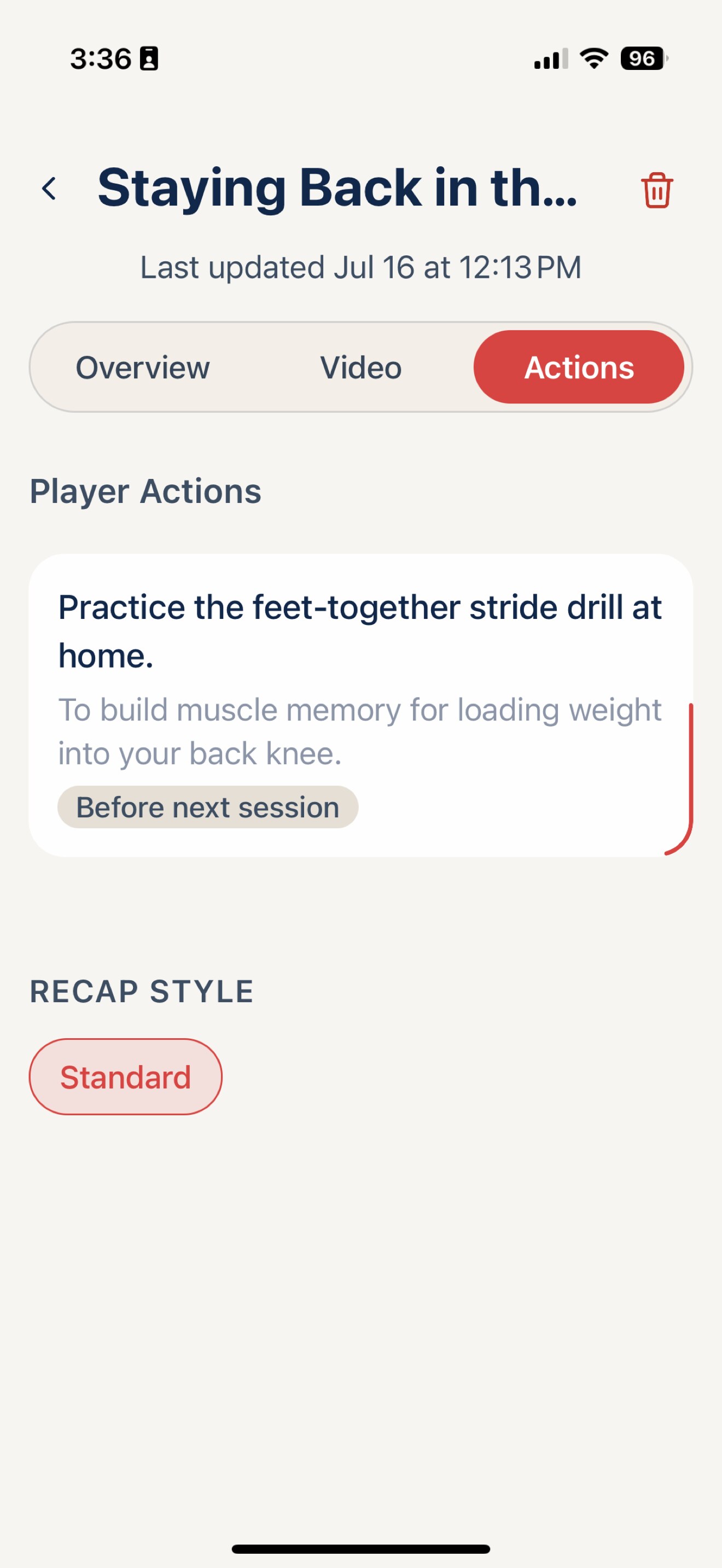
Mobile
Give the next action a home
Coach-approved actions turn a session takeaway into a specific drill and a clear time to revisit it.